$20.00
We will hold your cart for 15:00.
Working from home is here to stay, and if you're like millions of Americans, your dining table has become your headquarters. But a true home office isn't just a laptop on a stack of books. It's a setup that protects your tech, keeps your workspace clutter-free, and lets you switch from focused work to video calls without a scramble. That's where Targus comes in. For decades, Targus has been the quiet workhorse of the mobile computing world—think reliable laptop bags, rugged cases, and docking stations that IT departments trust. Unlike brands that only make bags or only make cables, Targus covers the whole workspace ecosystem, so everything plays nicely together.
In this guide, I'll walk you through building a Targus-powered home office that works for your space, your devices, and your work style. Whether you're starting from scratch or upgrading your current setup, we'll cover the essentials: the right docking station for your laptop, privacy protection for those sensitive video calls, and the perfect bag to carry your gear when you do head out. By the end, you'll know exactly what you need and why it matters.
You might be wondering: why not just pick up a cheap dock from Amazon and call it a day? Because your home office is your livelihood. Targus has been in the business since 1983, and they've earned the trust of IT departments at Fortune 500 companies. Their docking stations are tested for compatibility across a wide range of laptops, from Dell and Lenovo to MacBooks, so you won't be stuck with a paperweight. They also understand the realities of remote work: you need to connect multiple monitors, charge your laptop, and have a reliable webcam for meetings—all without a tangle of cables.
But it's not just about docks. Targus's EcoSmart line is made from recycled materials, so you can feel good about your footprint. And their privacy screens, like the 4Vu series, are a must if you ever work in a coffee shop or on a plane. Plus, with a heritage of making durable laptop bags, Targus ensures you can take your office on the road without worrying about your tech.
Before you buy anything, take stock of what you have. What laptop do you use? Does it have USB-C or Thunderbolt ports? How many monitors do you want to connect? Do you need to charge your laptop through the dock? These questions will dictate which docking station you choose. Targus offers a range of docks, from compact USB-C hubs to full Thunderbolt docks that can drive dual 4K displays. If you're unsure, check your laptop's specifications or look for Targus's compatibility guides online—they're surprisingly detailed and can save you a lot of headaches.
Also, think about your physical space. Is your desk against a window? Do you have a permanent spot or do you move around the house? A portable monitor arm and a laptop stand might be on your list, but Targus doesn't make those—yet. However, they do make a line of ergonomic accessories like keyboard trays and laptop risers that can help you maintain good posture. Check their site for options that fit your setup.
Now for the centerpiece: the docking station. Here's a quick breakdown of what to look for:
If you're deploying docks for a small business or team, Targus also offers enterprise-grade models that can be managed centrally. And don't forget firmware updates—Targus regularly releases updates to fix bugs and improve compatibility, so check their website for the latest for your model.
When you're on a video call, the last thing you want is a neighbor catching a glimpse of sensitive emails. Targus's 4Vu privacy filters are designed to black out the screen at angles beyond 60 degrees, so only you can see what's on your display. They're available for most laptop and monitor sizes, and they're easy to install—just apply them like a screen protector. If you've got a MacBook Pro 16 or a specific Dell monitor, use Targus's sizing guide to get the right fit.
Privacy filters aren't just for the coffee shop. Even at home, they can keep your work confidential if you share a space with others. Plus, they can reduce glare, which is a bonus for eye strain. Targus also makes anti-glare and blue-light filters if that's your priority.
No one wants a spaghetti mess behind their desk. Targus makes cable management solutions like clips and sleeves that can keep your workspace tidy. But let's be honest—docking stations already help by consolidating connections into one cable from your laptop to the dock. Still, you'll need to run monitor cables, power cables, and a few others. Targus's cable sleeves are flexible and can bundle multiple cables together, so you can run them along the back of your desk without clutter.
Also, think about a laptop stand to elevate your screen to eye level. Targus has a few stands that are sturdy and adjustable. They don't sell monitor arms, but you can easily find those elsewhere. Pairing a Targus stand with their wireless keyboard and mouse can create a cleaner, more ergonomic space.
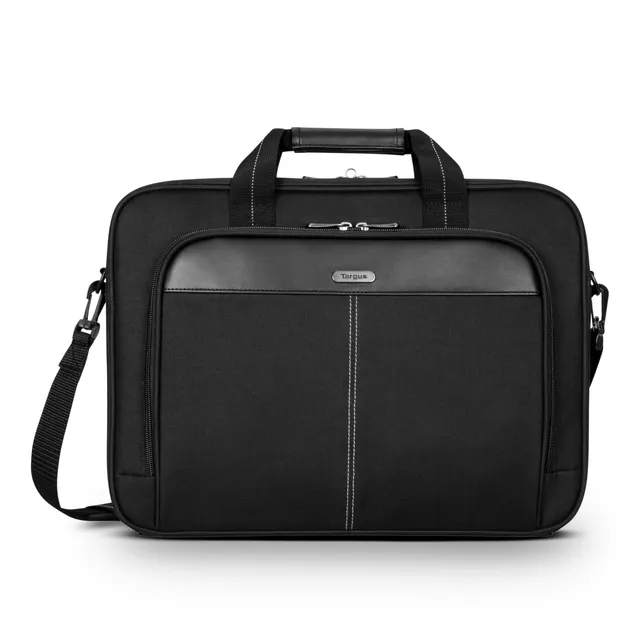
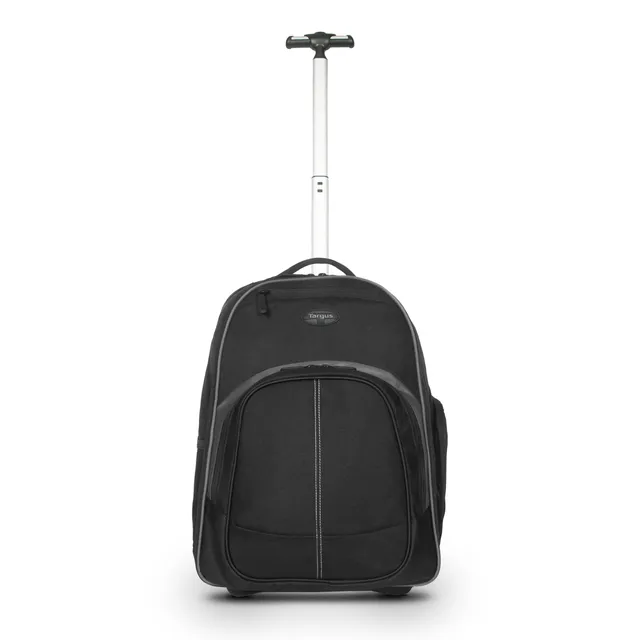
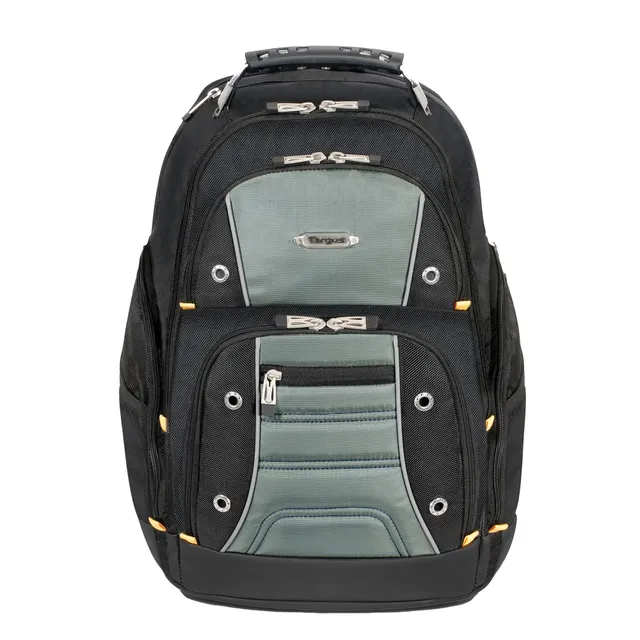
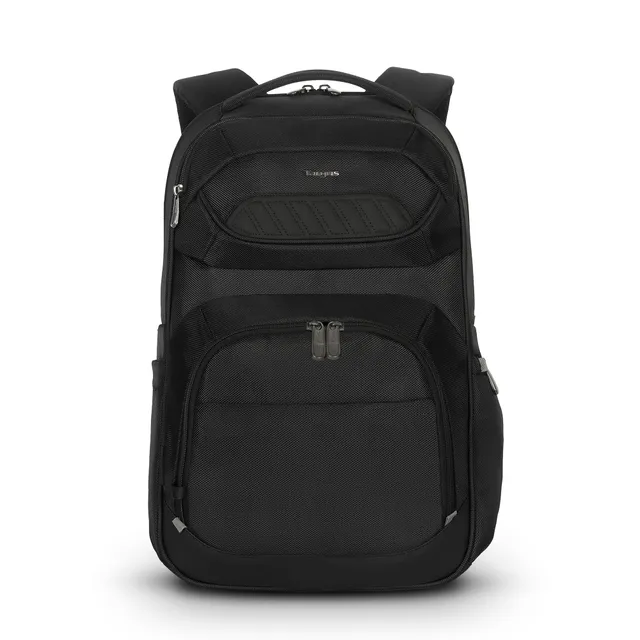
Once your home office is set up, there will be times when you need to take your work on the go—a client meeting, a conference, or even a coffee shop change of scenery. That's where Targus's laptop bags shine. They're designed to protect your laptop with padded compartments and secure pockets for accessories like your charger, mouse, and cables. Many models include a trolley strap so you can slide the bag over the handle of your rolling suitcase when you travel.
Here are some popular options:
All Targus bags are built with quality materials and have passed drop tests to ensure your laptop stays safe. Plus, they come with a limited lifetime warranty, so you're covered for years of use.
At home, your laptop might feel safe, but if you ever work in a public space or leave your desk temporarily, a security lock is a smart investment. Targus's DEFCON cable locks are the industry standard. They use a combination or key lock and can secure your laptop to a desk leg or a heavy object. Some models even fit into the security slot on your dock, so a thief can't walk off with your entire setup.
When setting up a lock, make sure the cable is looped around something immovable, not just your monitor stand. And if you lose your key, don't worry—Targus has a reset process you can follow (check their support page for instructions).
Many Targus USB-C and Thunderbolt docks are compatible with MacBooks. Look for models that explicitly support macOS, and be sure to check the specifications for video output options. Some docks may require a DisplayLink driver for external displays on Apple Silicon, so read the product details carefully.
Spot clean with a mild detergent and water. Avoid putting it in the washing machine, as that can damage the padding and fabric. For stubborn stains, use a soft brush. Always let it air dry.
Targus offers a limited warranty on its products. Bags typically have a limited lifetime warranty, while electronics like docks have a shorter period. Be sure to register your product and keep your receipt for warranty claims.
Measure the screen size diagonally (e.g., 15.6"), but also check the actual dimensions of your laptop, as some bags have specific internal dimensions. Targus product pages include this info, and you can also measure your laptop's width and height to ensure a snug fit.
Building a Targus home office setup is about more than just buying gear—it's about creating a space that supports your work and protects your investment. Start with a quality docking station to expand your laptop's capabilities, add a privacy screen to keep your work confidential, and finish with a reliable bag to carry it all. With Targus's reputation for durability and compatibility, you can trust that your setup will last for years.
Ready to upgrade? Explore the Targus collection at Daily Pack House and find everything you need to make your home office work for you. And if you have any questions, our team is here to help you choose the right products. Happy working!
Orders over $45.00 ship free. Otherwise, shipping is $8.00.
Hassle-free returns
SSL encrypted checkout
100% genuine products
Compare durable everyday backpacks from Thule, Eastpak, Targus, and SwissGear—find the perfect fit for your daily routine.
Email: support@dailypackhouse.shop
Address: 8420 Cedar Ridge Drive, Suite 305, Denver, CO 80231, United States